
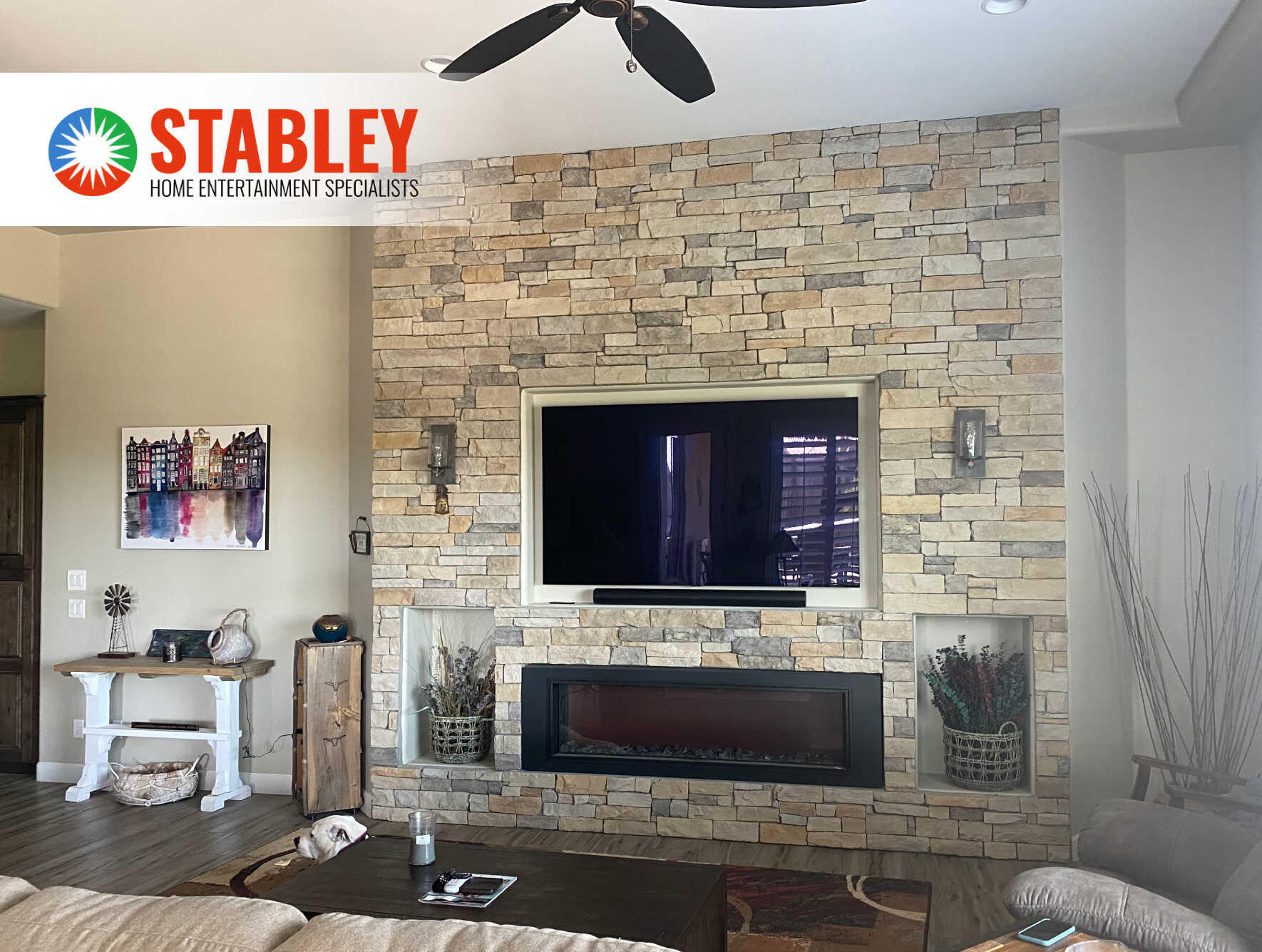
A home entertainment system gets frustrating when every device has its own remote, app, and startup routine. Automation puts the display, sound, lighting, and shades behind a few controls that match what your household actually does.
Movie night can be one command: the display turns on, the right source appears, the lights dim, and the sound system is ready. When you leave or head to bed, another command can shut the system down. Home automation should reduce the steps in the room, not add another system to manage.
Save Energy When The Room Is Not In Use
Entertainment equipment can stay on long after people leave the room. A control system can turn off the display, receiver, amplifiers, and room lights as part of a scheduled routine or an “All Off” command. That helps avoid the familiar situation where a TV is still running after everyone has gone to bed.
A shutdown scene should handle both the equipment and the lighting. Otherwise, the room still leaves someone sorting through remotes and switches at the end of the night.
Use One Control Instead Of A Stack Of Remotes
A good entertainment system can involve a television or projector, an audio receiver, streaming services, cable or satellite equipment, gaming consoles, lights, and motorized shades. Each device may come with its own remote or app. That is when a high-end entertainment room becomes more complicated than it should be.
The control screen should be organized around what people want to do, not the brand of every component. “Watch TV,” “Movie,” “Music,” and “Game” can set the equipment, source, sound, and lighting for that activity. At Stabley, we plan those controls around the household using the room, whether that is a dedicated theater or a family media room in Mesa, Scottsdale, Chandler, or the surrounding East Valley.
There is one more piece that makes all of this feel effortless: a strong home network. Streaming players and AV receivers that stay in one place usually work best on a wired connection, while a well-placed Wi-Fi system keeps your remotes, tablets, and phones responsive. The payoff is simple: no more buffering or frozen screens in the middle of movie night, and a control app that responds the moment you tap it.
Tired of juggling five different remotes just to watch a movie?
Get a free consultation and let our team simplify your media room into one easy control.
Make Movie Night More Convenient
A movie scene can lower shades, dim the lights, turn on the display, select the streaming source, and set the audio system. A pause can bring the lights up enough for someone to move around safely, then return them to the right level when the movie resumes.
That kind of setup works especially well in a custom home theater, but it is not limited to one. A multipurpose living room can benefit from straightforward control just as much. The right plan depends on the room, the equipment, and what your household watches most.
A dedicated theater and a living-room media space call for different answers. A theater can be planned around a projection screen, speaker placement, and controlled light from the start. A media room has to shift quickly between everyday living and movie night. CEDIA’s RP22 immersive-audio recommended practice treats room layout, speaker placement, and other design choices as connected decisions, not a shopping list. For more room-planning guidance, see the essential elements of a custom home theater.
Hands-Free Control With Your Voice
Voice control has become one of the easiest ways to run a home entertainment system. Instead of reaching for a remote, you can say “Movie time” or “Turn off the living room” and let the system handle the rest. Many professional control platforms, including Control4 and Josh.ai, can work with voice assistants like Amazon Alexa and Google Assistant, so a single phrase can trigger an entire scene.
Voice is especially helpful when your hands are full, when the remote has disappeared into the couch cushions, or for family members who find apps and touchscreens frustrating. The key is programming voice commands around the same activities as the rest of your system, so “Watch the game” sets the TV, sound, and lights exactly the way your household likes them.
Keep Control When You Are Away
Leaving home should not mean wondering whether the media room was left running. Remote access can let you check the system and turn it off when appropriate. A whole-home “Away” command can also turn off entertainment equipment while setting the house the way you prefer when you are away.
Some homeowners also use light and shade schedules while they are traveling. Those routines can support the normal lived-in pattern of the home, but they are not a replacement for a professionally designed home security system. They are simply one more part of a broader home-control plan.
Match The Sound, Lighting, And Shades To The Screen
In a theater, the sound system, screen, lighting, and shades should support the same moment. Bright overhead lights reflecting on the screen are a bad design choice, and nobody should need to walk around the room to get a movie started.
Lighting scenes deserve special attention. Step lights, sconces, and cove lighting can keep a room usable without taking attention away from the picture. For a projection setup, light close to the screen wall needs careful control. For a wall-mounted TV, soft lighting behind the display may be more useful. Our guide to lighting control with home automation explains how those scenes can work throughout the home.
In the East Valley, shade control can solve a daytime viewing problem before the projector or TV ever turns on. Pairing shades with a viewing scene can manage window glare and limit direct sun in the room. Automated shades can also help keep the room cooler on hot Arizona afternoons, though results vary with window orientation, glass, fabric, and how the space is used. See how shades, lighting, and entertainment come together in our home automation services.
Four Everyday Ways Automation Changes The Room
Saving energy and replacing a stack of remotes are the benefits most people expect. These are the ones that tend to surprise our clients once their system is up and running.
Screens That Shut Off At Bedtime
A “Bedtime” schedule can automatically turn off the kids’ TVs and game consoles at a set time on school nights, so screen-time limits are enforced by the system instead of by nightly arguments.
Lighting That Reacts To What Is On Screen
With compatible color-changing lights and a sync device, the lights behind and around your TV can shift color with the action on screen, extending the picture into the room during movies, sports, and games.
See Who Is At The Door Without Leaving The Couch
Depending on your system, a doorbell press can pause the movie, bring the lights up slightly, and show the front-door camera on the TV, so you can decide whether to answer without missing a scene.
A Simpler Mode For Guests And Sitters
A guest or babysitter mode can hide advanced settings and leave only a few clear buttons like “Watch TV” and “All Off,” so anyone can use the room without a tutorial or a call to you.
Set Scenes Around The Way Your Household Uses The Room
The right system is not always the biggest one. A family that watches sports during the day, plays games at night, and hosts friends on weekends may need different scenes than a household building a dark, movie-first theater. Start with what happens in the room on an ordinary weeknight. That gives the design a better foundation than a list of products.
Stabley Home Entertainment Specialists has served Mesa, Scottsdale, Chandler, and the rest of the East Valley since 1994. We can help you plan the display, sound, lighting, shades, and controls so the system feels natural from the first use.
Ready to Automate Your Entertainment?
Let our team design a system around the way your household actually watches, listens, and relaxes. Book your visit today and start enjoying one-touch movie nights sooner.
Home Entertainment Automation FAQs
Can I Automate My Existing TV And Sound System?
Often, yes. The answer depends on the equipment you already own, how it connects, and whether the room needs lighting, shades, or other devices included in the same control system. A professional can review the setup and recommend a practical path without assuming every component needs to be replaced.
Can One Remote Control My TV, Audio, Lights, And Shades?
Yes. A home-control system can combine compatible entertainment equipment, lighting, and shades into one remote, wall keypad, or app. The important part is programming it around the activities your household uses, such as watching TV, starting a movie, listening to music, or shutting the room down.
Is Home Entertainment Automation Only For Dedicated Theaters?
No. A dedicated theater gives you more opportunities to coordinate the picture, surround sound, and lighting, but a family room or media room can benefit from simpler control too. The goal is fewer steps and a better experience in the space you actually use.
What Customers Say About Stabley’s Automation Work
Home entertainment automation only earns its place when the system is easy to use after installation. Stabley’s published customer reviews name Don and Alex Stabley for setup, programming, and helping homeowners understand the controls.
“Don and his son Alex were at our home for three days updating the AV system throughout. This included renovating/updating all the electronics in a dedicated media room, the family room, the primary bedroom, and the whole house in ceiling audio system.”
J. Christopher Farmer, Google review.
“I recently had them install 8 TVs, 11 security cameras, a full home security system, a 10-speaker outdoor audio setup, smart thermostats, smart garage door openers, and a long list of other smart-home upgrades.”
MJK, Google review.
About Stabley Home Entertainment Specialists
For more than 30 years, Don Stabley has led Stabley Home Entertainment through more than 20,000 installations. That work ranges from single-room setups to full home theaters and commercial systems with audio, video, networking, cameras, and alarms.
For entertainment automation, the finish line is not a rack full of equipment; it is a system the household can actually use. The Stabley team walks customers through the controls before the job is complete, includes a 30-day labor warranty, and stays available after installation. Request a consultation with Stabley.

Stabley Home Theater
1350 S Greenfield Rd #1127
Mesa, AZ 85206
Office: (480) 325-5015
Email: [email protected]
Website: https://stabley.net
Related Posts


